-
How do I sign up for an account with Revedge?
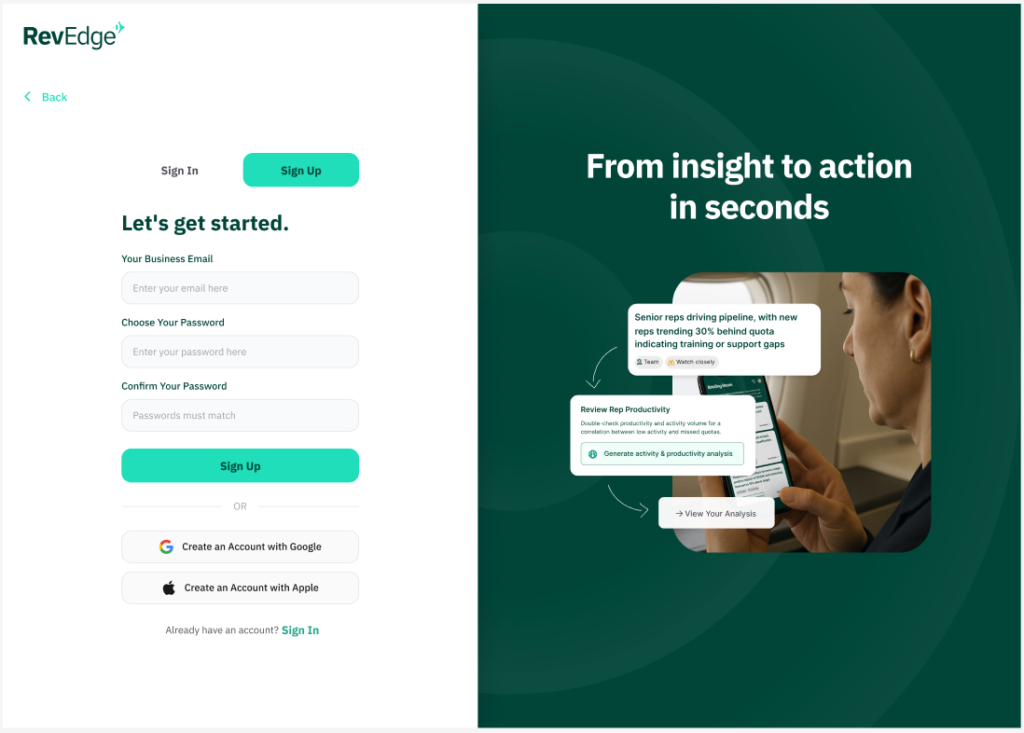
- Go to Revedge.ai, click the sign up button.
- Fill in your Business Email and choose a password. Click Sign Up

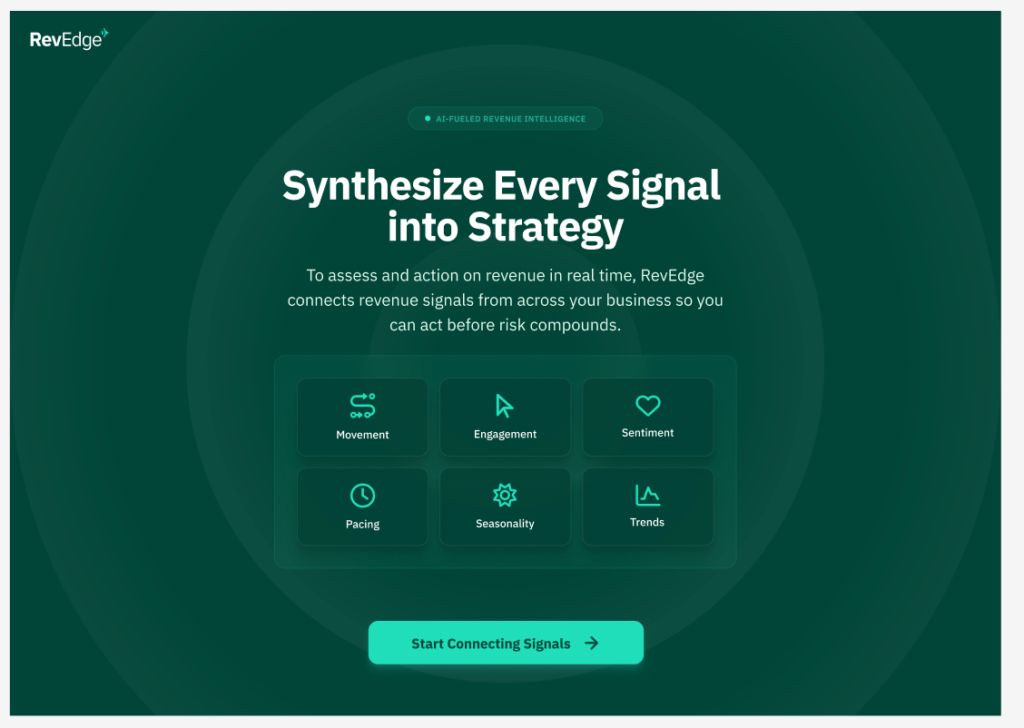
3. On the next page, click Start Connecting Signals.

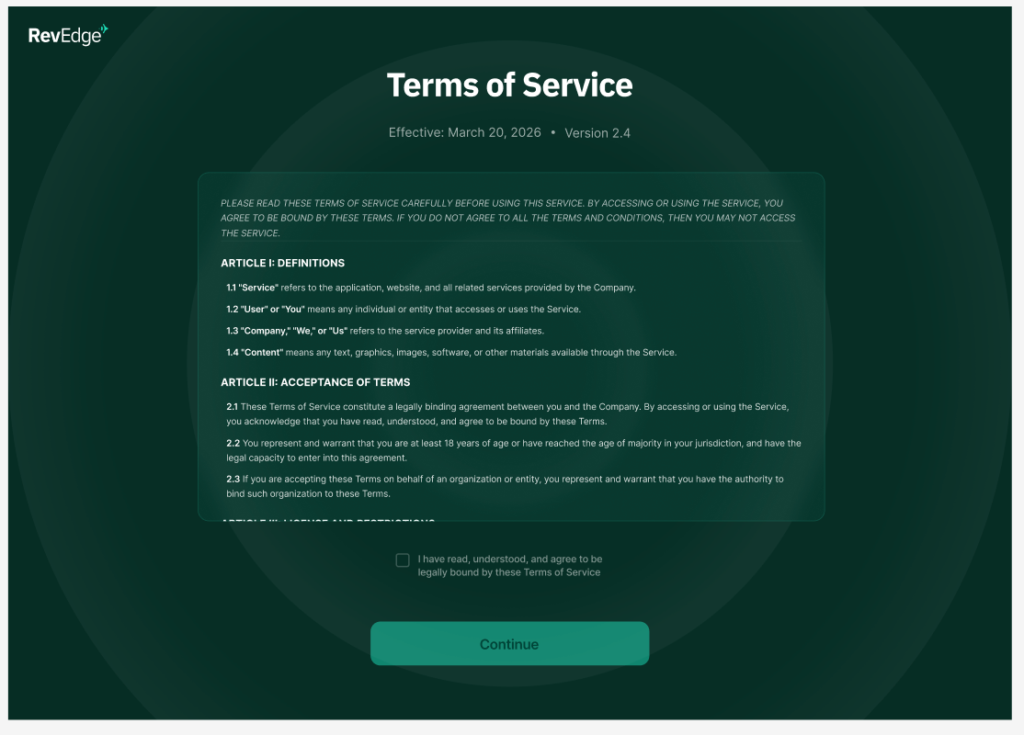
4. Next, agree to the Terms of Service

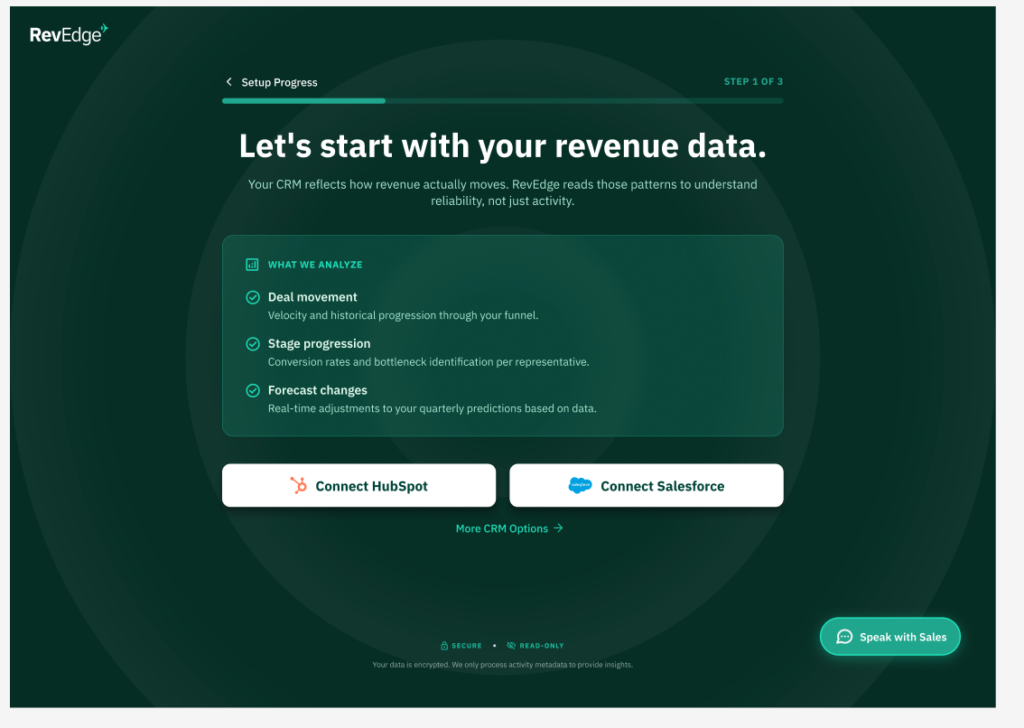
5. Connect your CRM – choose HubSpot or Salesforce.
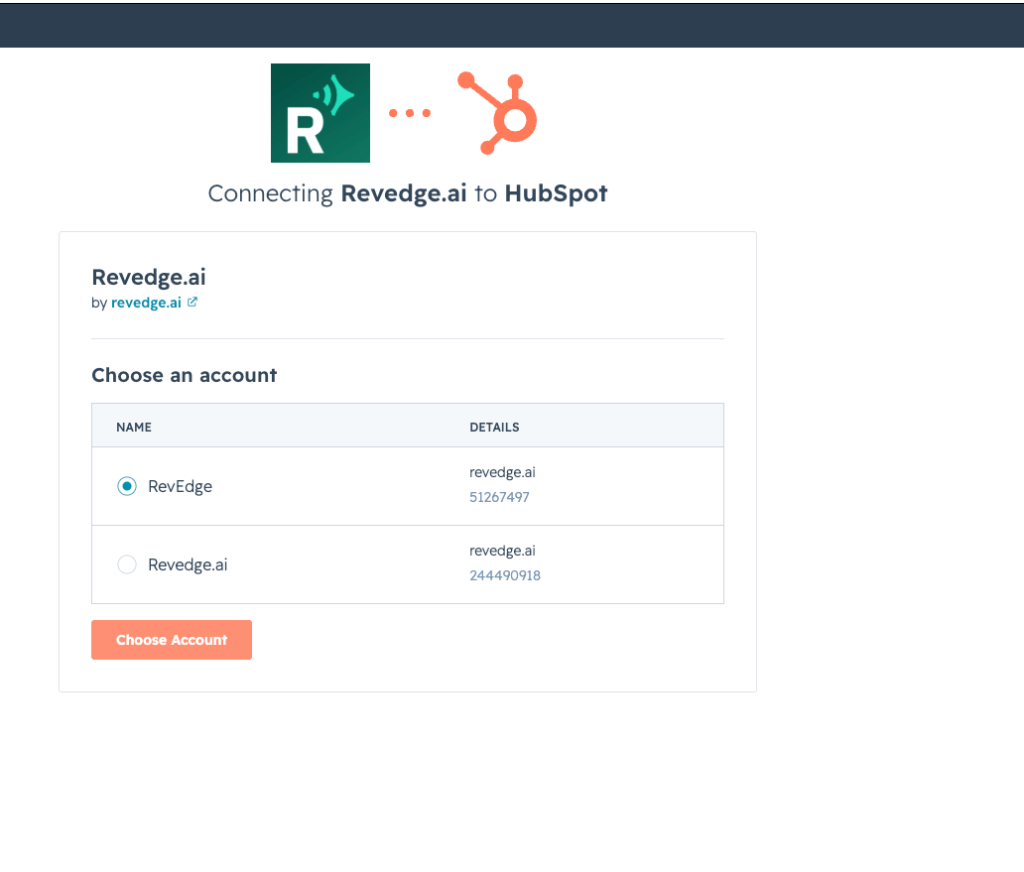
6. Follow these steps to connect your HubSpot. Choose the HubSpot account to connect to Revedge.

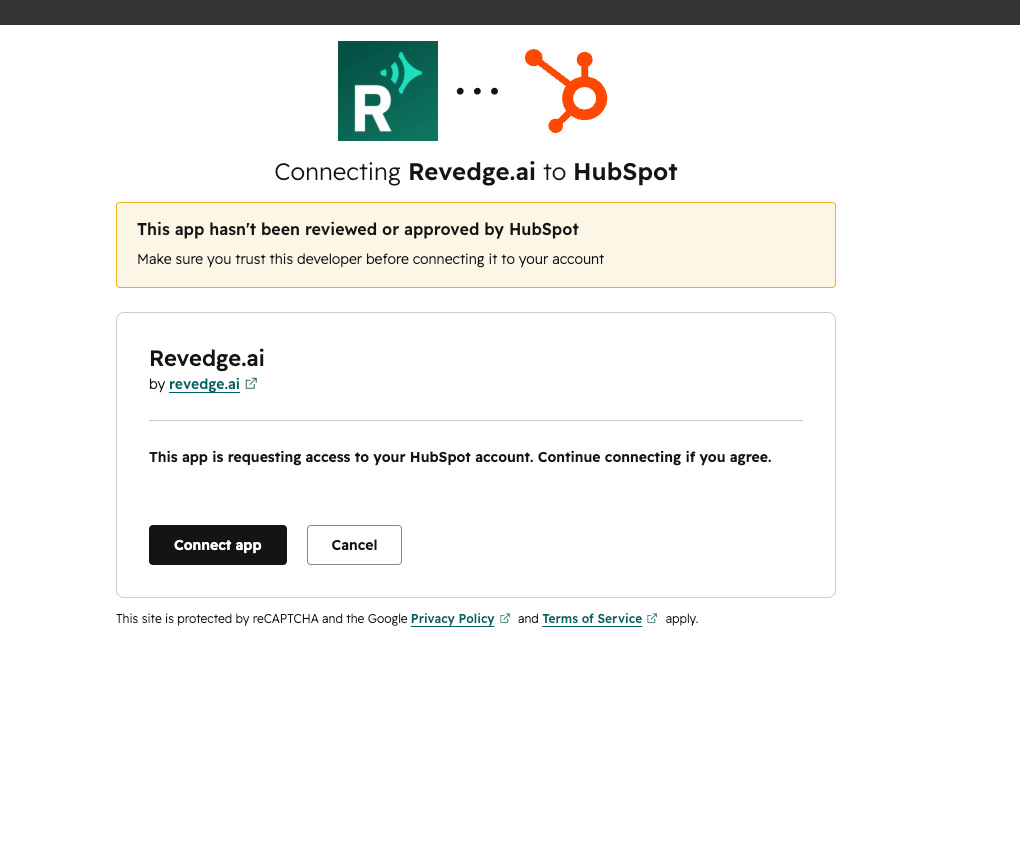
7. Click Connect app.

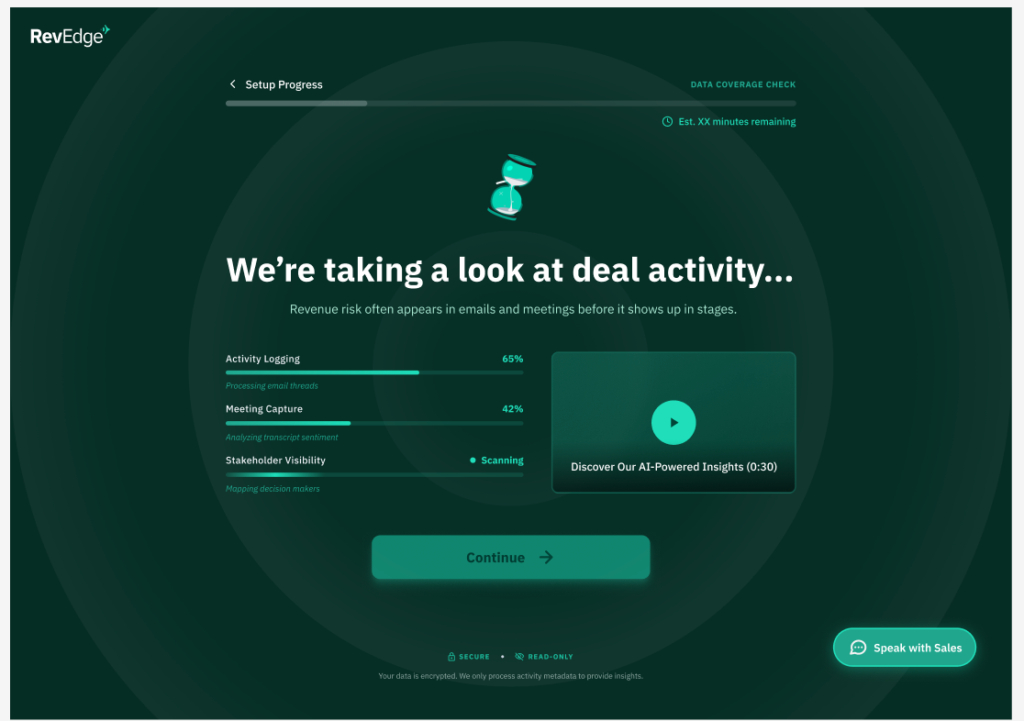
8. Revedge will begin to pull in your deal activity from the CRM.

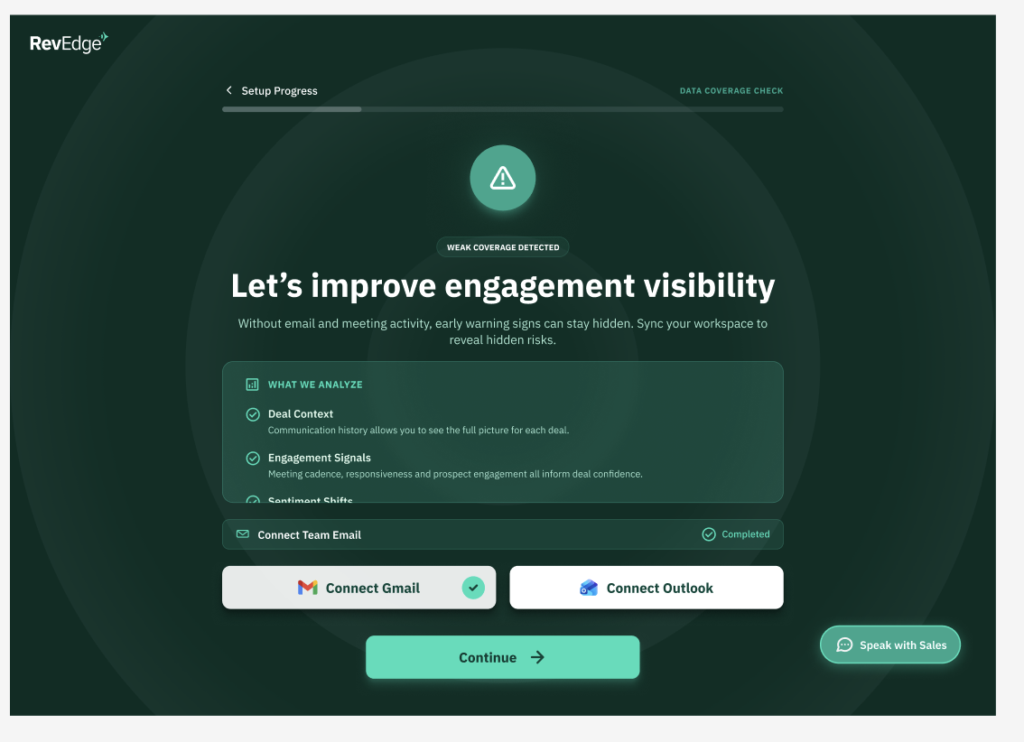
9. From there you can choose to connect either your Gmail or Outlook.

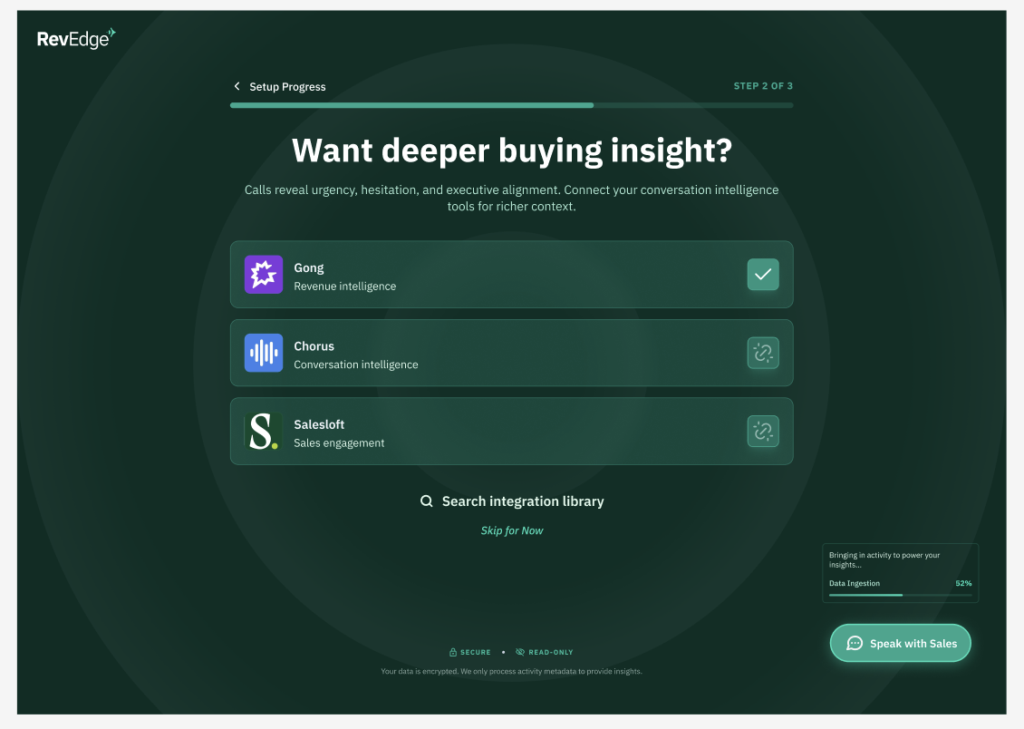
10. Optionally, choose to connect conversation intelligence tools.

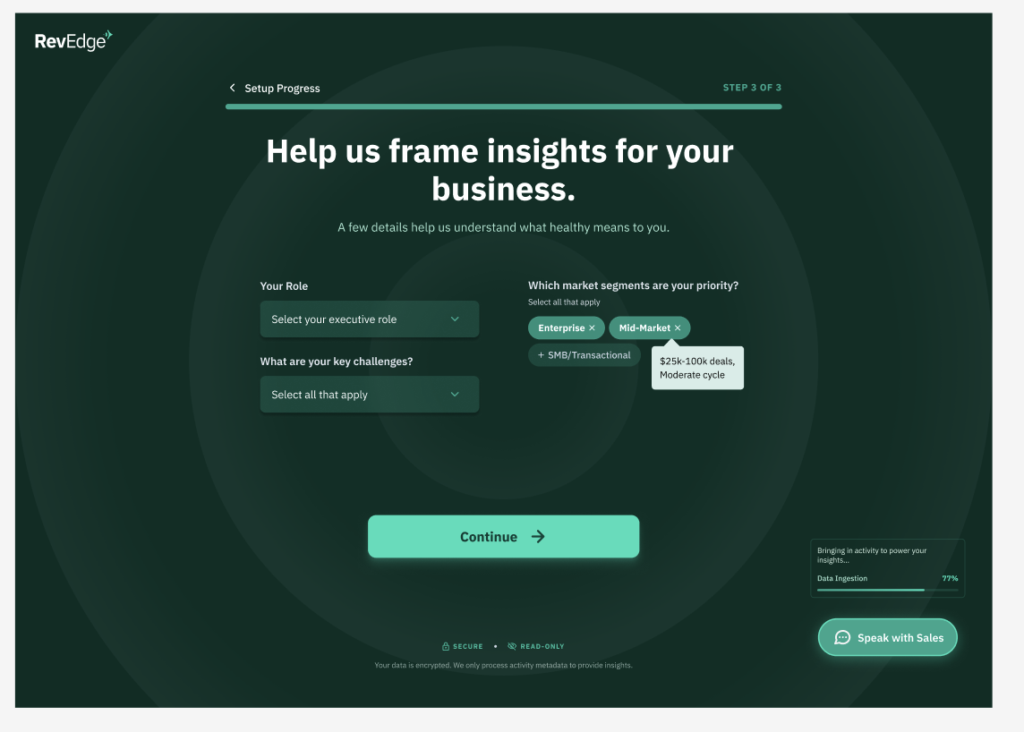
11. Tell us more about your business so that your notifications are helpful and relevant to you.

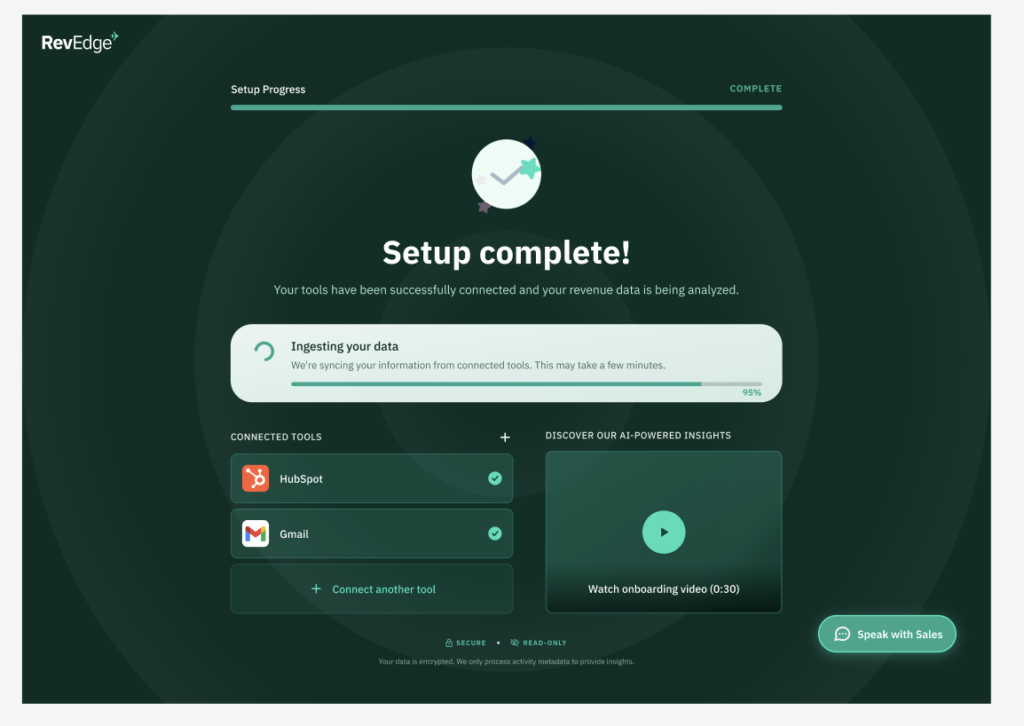
12. Then your set up is complete!

-
Which tools in my tech stack does RevEdge integrate with?
RevEdge seamlessly connects with major CRM platforms (Salesforce, HubSpot), communication tools (Slack, Google Workplace), and call transcribing software (Gong, Chorus) to ingest data without manual entry. Via Zapier, +10,000 tools can also be easily integrated with RevEdge to cover your entire tech stack. Our Advanced and Enterprise plans also offer integration customization and additional custom integration for prioritary tools.
-
How long does RevEdge implementation take?
Most organizations are up and running within minutes. Our “One-Click OAuth” process allows us to begin analyzing your historical data and providing insights almost immediately after connection.
-
Do you offer a trial period?
Yes, we offer a 7-day trial for qualified executive teams to experience the platform with their own live data. Book a demo with us today!
-
What should companies look for in AI-powered RevOps tools?
When evaluating AI-powered RevOps tools, companies should prioritize platforms that deliver actionable revenue intelligence—not just data.
Key criteria include:
- Predictive insights
Ability to identify future risks and opportunities. - Actionable recommendations
Clear next steps tied to revenue outcomes. - Cross-system integration
Works across CRM, engagement, and customer tools. - Ease of implementation
Minimal setup and no heavy configuration. - Executive usability
Designed for decision-makers—not just analysts.
The most effective tools act as:
A decision layer on top of your revenue stack—not another dashboard.
Related:
- Predictive insights
-
How do I sign up for an account with Revedge?
- Go to Revedge.ai, click the sign up button.
- Fill in your Business Email and choose a password. Click Sign Up
3. On the next page, click Start Connecting Signals.
4. Next, agree to the Terms of Service
5. Connect your CRM – choose HubSpot or Salesforce.
6. Follow these steps to connect your HubSpot. Choose the HubSpot account to connect to Revedge.
7. Click Connect app.
8. Revedge will begin to pull in your deal activity from the CRM.
9. From there you can choose to connect either your Gmail or Outlook.
10. Optionally, choose to connect conversation intelligence tools.
11. Tell us more about your business so that your notifications are helpful and relevant to you.
12. Then your set up is complete!